
01
Set your intention
Before you start browsing, tell NoDopa what you’re here to do. This takes a few seconds.
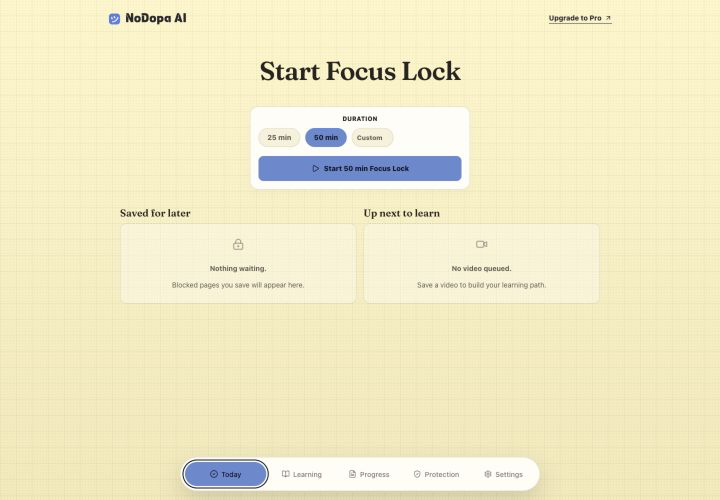
How NoDopa works
Choose what you came online to do. NoDopa keeps the boundaries you set close at hand while the useful web stays open.
Add to Chrome
The principle
The internet is genuinely useful for work, learning, and research. The problem is when useful browsing silently shifts into distracting loops — infinite feeds, autoplay, recommendation rabbit holes — and you don’t notice until time has passed.
The protection flow
Before you start browsing, tell NoDopa what you’re here to do. This takes a few seconds.
Use the internet for whatever you need. NoDopa runs quietly in the background.
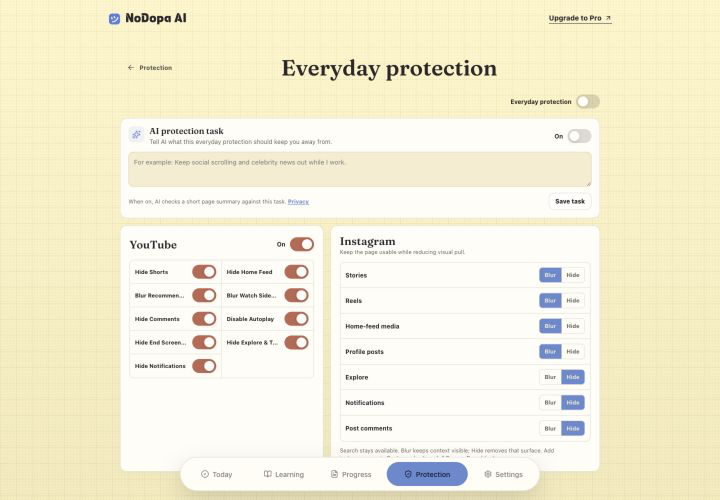
If your browsing shifts into a distracting loop, NoDopa helps interrupt the pattern and bring your attention back.

Your boundaries
NoDopa does not decide what is useful for you. Local protection follows the rules you choose and remains available without an account.
When you enable Smart Focus and have eligible checks available, NoDopa can use limited current-page context to compare a page with the focus goal you set. It does not run for guests, and you can keep using local protection without it.
See exactly what is processed